A better Google Tag Manager. And Tag Assistant.
A free Chrome extension that makes Google Tag Manager and Tag Assistant faster to read and nicer to work with. Built by tag managers, for tag managers.
The overview page
drag to compare
9
Enhancements
1440px
Layout cap removed
0
Data collected, ever
30s
To install
Full-width layout, and filters where GTM has none
Less scrolling, less squinting, more shipping.
01
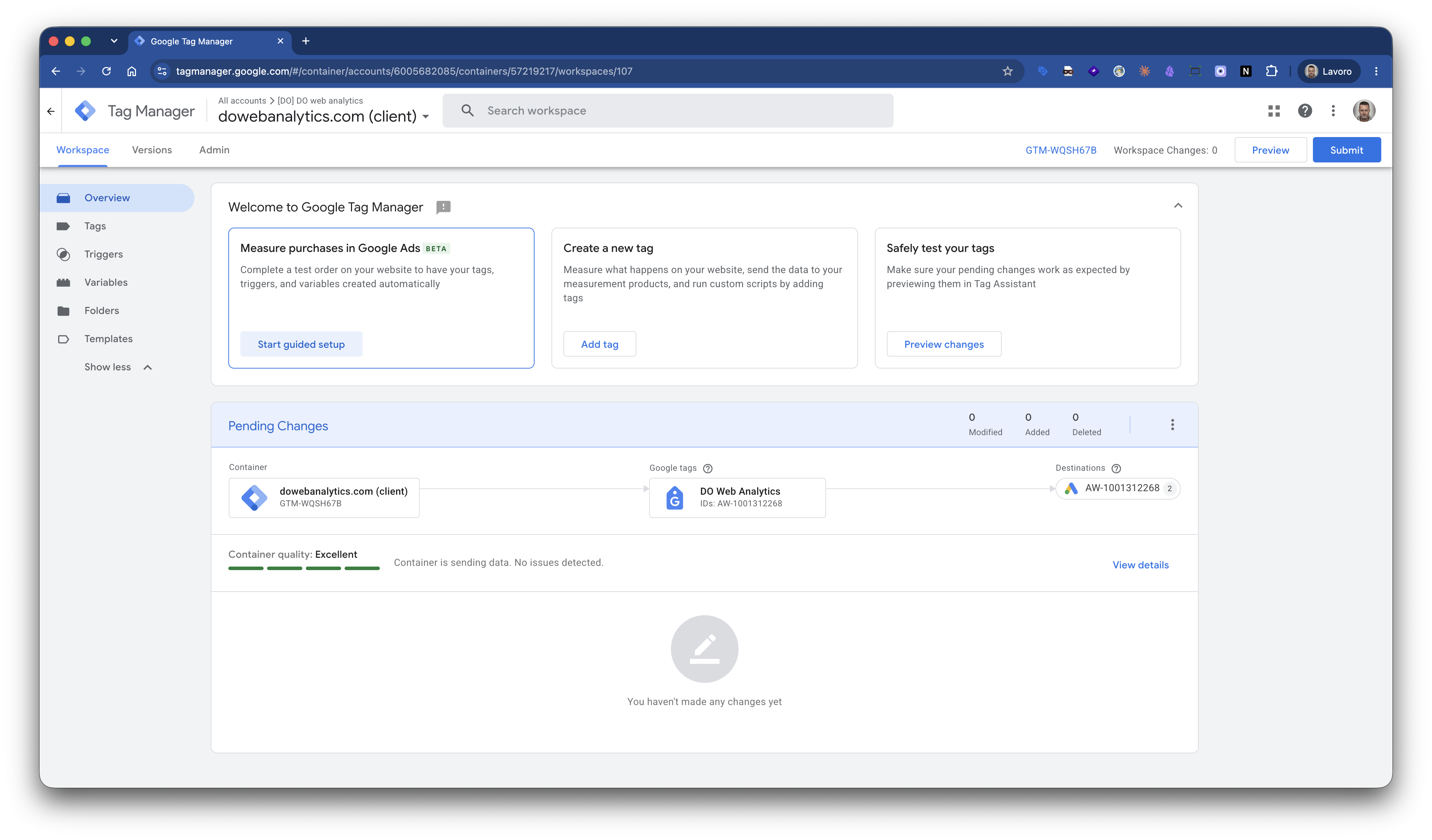
Full-width content area
GTM caps its layout at 1440px. Enhancer unlocks the full width of your screen — tables finally breathe on big monitors.
02
Cmd+K, and you are there
One palette over tags, triggers and variables. Type a few letters, hit Enter, the entity opens. Tag Manager has no deep links and no search across types — this is the shortcut it never shipped.
03
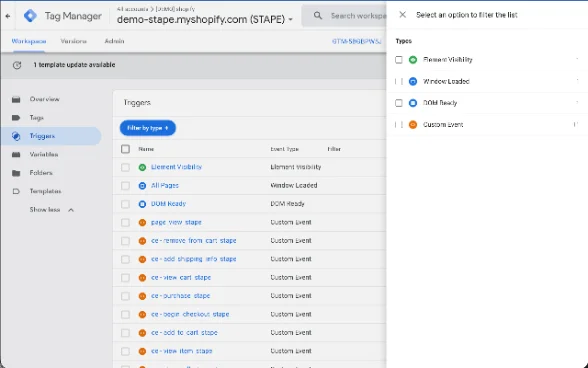
Type filter for Triggers & Variables
The native “filter by type” drawer exists only for Tags. Enhancer brings the same side-drawer — icons, counts, removable chips — to Triggers and Variables too.
04
Notes you can read, and rewrite
A tag, trigger or variable with a note gets an amber icon in the list. Click it to read the note, edit it and save — written straight back, without opening the item.
05
“Used in”, on every variable
A column on the Variables list shows how many tags and variables reference each one, with the names in the tooltip. The ones nobody uses stop hiding in plain sight.
06
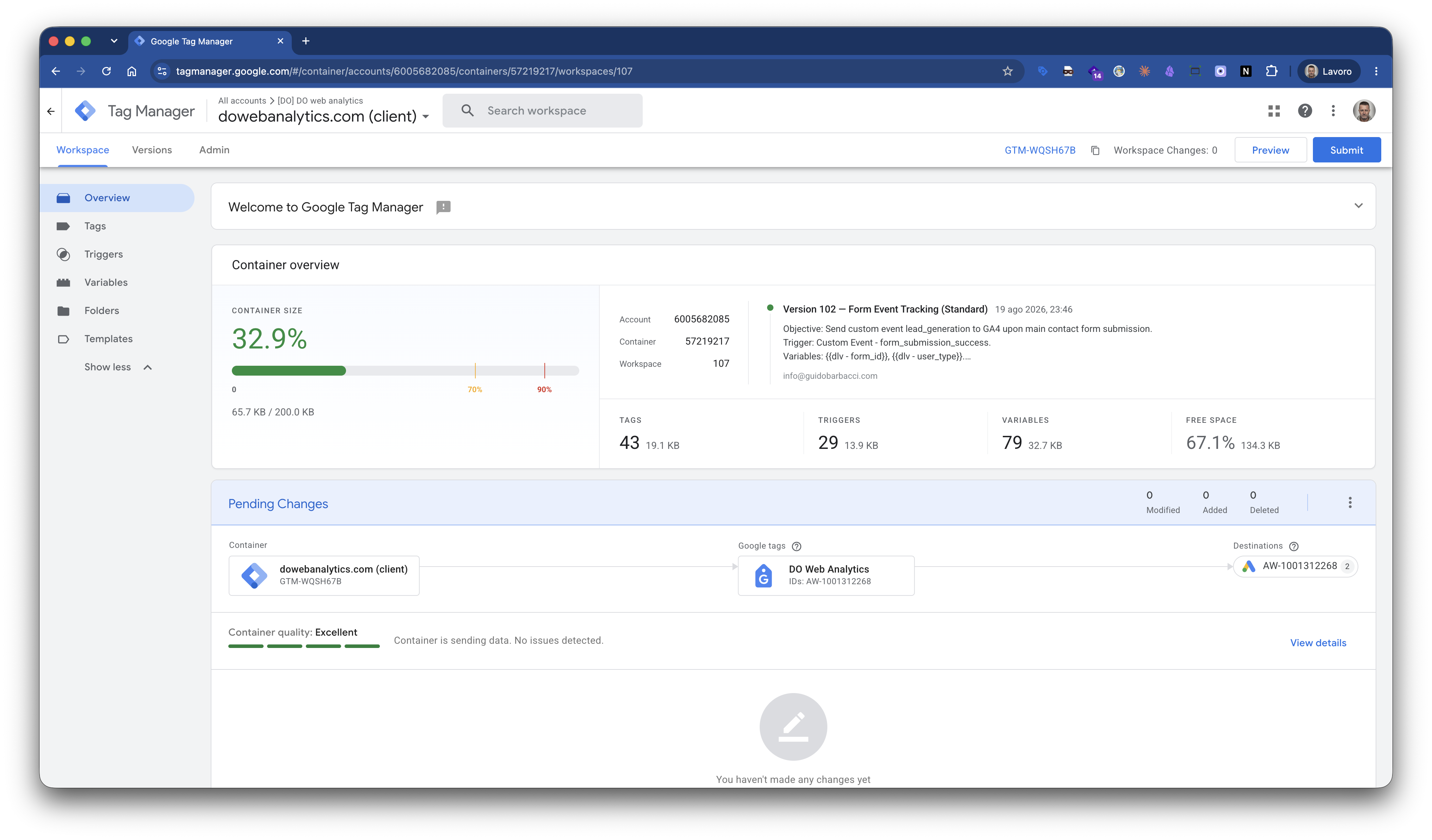
Container size, where you work
A card on the Overview shows the container against Google’s 200 KB limit as a gauge, with tag, trigger and variable counts and the published version — not in a separate popup.
07
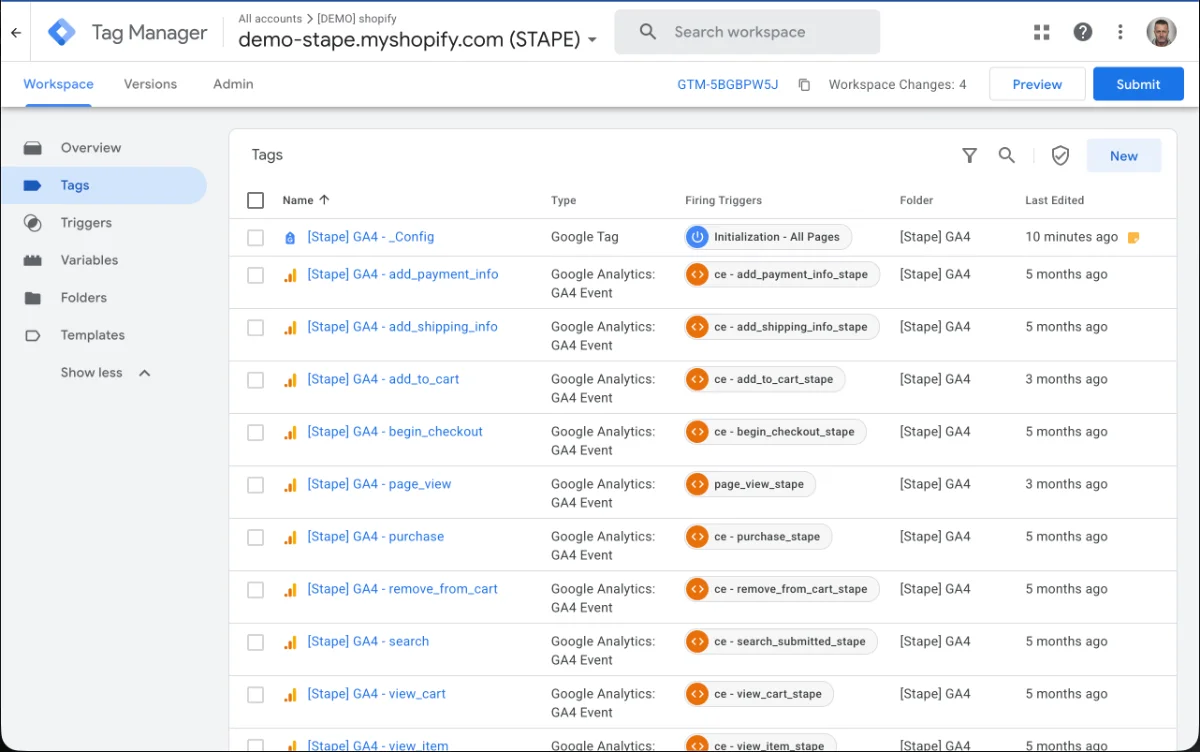
The icons GTM should have shipped
Native glyphs and colors for every trigger and variable type, and the platform logo — GA4, Google Ads, Meta, TikTok, LinkedIn — next to each tag type in the list.
08
Your container, documented
One button writes the whole container to a Markdown file: every tag with its type, triggers and parameters, and a Loose ends section for tags with no trigger and variables nobody references.
Debug mode you can actually read
Any dataLayer field, under every event in the list.
01
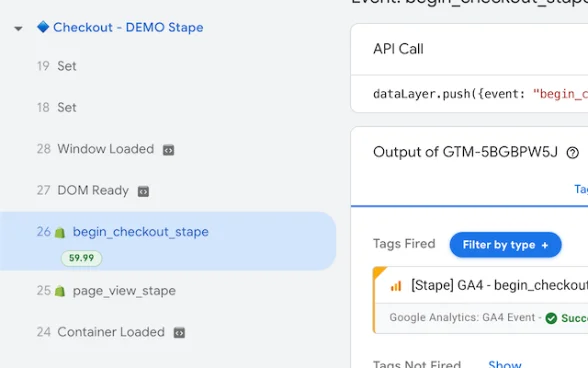
Auto-sized event sidebar
The left column grows to fit your longest event name — no more gtm4wp.formElementEn… Page titles get ellipsis and a tooltip.
02
Any dataLayer field, under every event
Pick a field — gtm.uniqueEventId, your event_name, anything — and see its value as a chip under each event in the list.
03
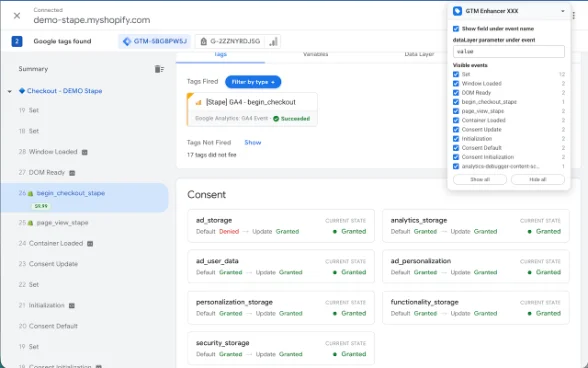
Floating control panel
Change the displayed field and hide noisy events (Container Loaded, Message…) right from the debug window. Preferences persist across sessions.
04
Consent, always in sight
Consent state is no longer a tab you forget to open: a full-width section under the container output, one card per consent type, with the Default → Update path and where it stands now.
05
Tag cards you can scan
Every tag card carries its brand icon, a colored border by type and a status badge — green when fired, red when it did not. The Console tab turns red when there is something in it.
06
Values that stay readable
JSON is re-indented and highlighted even when Tag Assistant prints it on one line, and long URLs are split one query parameter per line, percent-decoded.
07
Shopify checkout, bridged
Custom pixel events reach the checkout dataLayer and show up in the sidebar with a Shopify icon, scoped per shop. How it works →
See it in place
Every enhancement, in the interface you already use.
Four releases shipped in August 2026
Read the full changelog →Install in 30 seconds
Get it from the Chrome Web Store.
Free & open source · No data collected, ever · Settings live in your Chrome sync storage
Tell us what to build next
Every release so far came from a tag manager asking for something. Yours is welcome too.